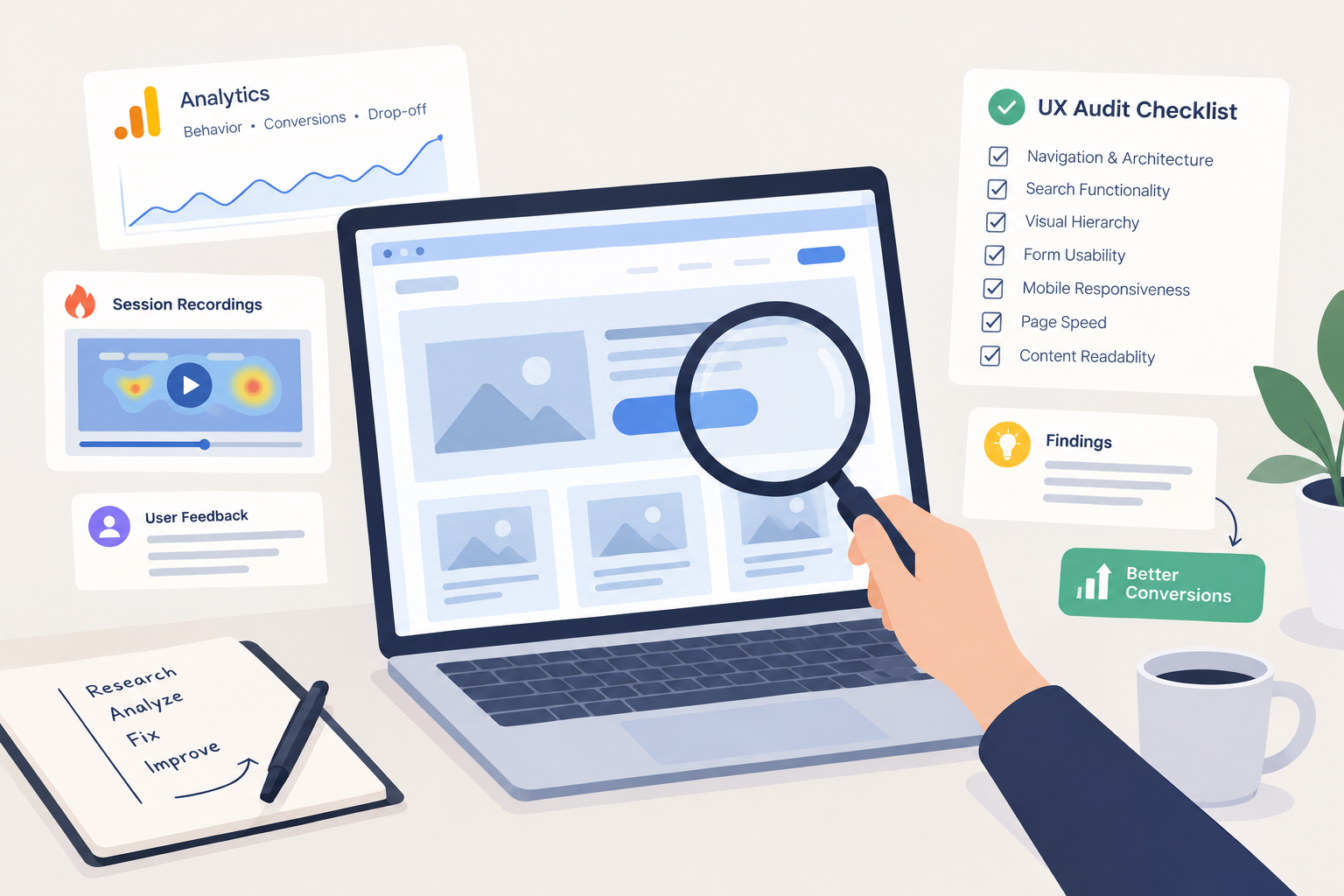
If high website traffic isn’t translating into conversions, your user experience is likely broken. Visitors leave when navigation feels confusing, buttons don’t work, or pages load slowly—costing you sales and brand trust.
A structured evaluation of your site’s interface helps identify friction points and unlock lost revenue. In this guide, you will learn how to conduct a ux audit for websites step-by-step, including essential tools, frameworks, and actionable checklists.
What Is a Website UX Audit?
A website UX audit is a comprehensive evaluation of a website’s usability, design structure, and user flows. It relies on empirical data and expert inspection to pinpoint where users get stuck, frustrated, or drop off before converting.
Instead of relying on guesswork or subjective opinions, a website usability audit combines quantitative metrics (like drop-off rates) with qualitative feedback (like user session recordings).
[Quantitative Data] + [Qualitative Insights] = Actionable UX Fixes
(Analytics & Funnels) (Session Recordings) (Higher Conversions)
Business Benefits of a UX Audit
- Increases Conversion Rates: Eliminates friction points in your checkout or sign-up funnels.
- Reduces Acquisition Costs: Maximizes the ROI of your existing traffic without increasing ad spend.
- Improves Search Rankings: Aligns with Google’s Core Web Vitals and page experience metrics.
- Enhances Customer Loyalty: Delivers seamless, satisfying interactions that keep users coming back.
Pre-Audit Phase: Setting Goals and Gathering Data
Before diving into the design, you need to establish a clear baseline. Jumping straight into visual evaluation without data leads to biased assumptions.
1. Define Business and User Goals
Identify key performance indicators (KPIs) before reviewing any pages. Are you trying to reduce shopping cart abandonment, increase newsletter sign-ups, or boost demo requests? Clear goals keep your audit focused on high-impact areas.
2. Gather Stakeholder Insights
Interview product managers, customer support reps, and sales teams. Customer support tickets often reveal recurring usability issues that analytics data misses.
3. Review Analytics Benchmarks
Examine Google Analytics 4 (GA4) or your analytics platform of choice. Focus on:
- High-dropoff pages in conversion funnels.
- Pages with high bounce rates relative to their traffic.
- Device segmentation (comparing desktop vs. mobile conversion performance).
The 6-Step UX Audit Process
Following a systematic UX audit process ensures you uncover actionable insights rather than superficial design critiques.
Step 1: Define User Personas & Journey Maps
Map out key user paths. Trace the exact clicks a user takes from landing on a blog post or home page to completing a target action. Focus heavily on primary conversion pathways.
Step 2: Perform Heuristic Evaluation
Evaluate core pages against established usability principles, such as Jakob Nielsen’s 10 Usability Heuristics.
Key areas to evaluate:
- Visibility of system status: Is it clear what page the user is on and what action was just taken?
- Consistency and standards: Do buttons, icons, and typography behave predictably?
- Error prevention and recovery: Are form errors easy to understand and quick to fix?
Step 3: Analyze Qualitative User Behavior
Deploy session recording tools like Hotjar, Microsoft Clarity, or FullStory. Watch real users navigate key flows to observe where they hesitate, rage-click, or abandon tasks.
Step 4: Conduct Accessibility & Technical Reviews
Usability and technical performance go hand in hand. Ensure your site meets WCAG (Web Content Accessibility Guidelines) standards:
- Color Contrast: Verify text meets minimum contrast ratios for readability.
- Keyboard Navigation: Confirm all interactive elements are reachable via keyboard alone.
- Page Speed: Test load times across key templates using Google PageSpeed Insights.
Step 5: Test Across Multiple Devices
A website can perform flawlessly on a desktop monitor while failing on a mobile device. Test responsive breakpoints, touch target sizes, and mobile navigation menus directly on real iOS and Android devices.
Step 6: Prioritize Findings using an Effort vs. Impact Matrix
Group discovered issues into a actionable matrix to guide engineering and design sprints.
| Priority Level | Impact on Conversions | Implementation Effort | Example Issue |
| P0 (Quick Wins) | High Impact | Low Effort | Broken CTA button on key landing page |
| P1 (Major Projects) | High Impact | High Effort | Complete redesign of checkout workflow |
| P2 (Fill-ins) | Low Impact | Low Effort | Minor alignment and spacing fixes |
| P3 (Thankless Tasks) | Low Impact | High Effort | Re-architecting legacy code for a rare edge case |
Essential Tools for a UX Audit
Using the right audit stack streamlines data collection and surfaces actionable findings faster.
- Quantitative Analytics: Google Analytics 4, Mixpanel, Amplitude
- Behavior & Session Tracking: Hotjar, Microsoft Clarity, Crazy Egg
- User Testing & Feedback: UserTesting, Maze, UsabilityHub
- Accessibility & Performance: Axe DevTools, WAVE, Google PageSpeed Insights
Essential Website UX Audit Checklist
Use this practical checklist to maintain consistency during your evaluations:
[ ] Navigation & Architecture: Menu categories are logical and limited to essential items.
[ ] Search Functionality: Search bar provides accurate, auto-suggested results.
[ ] Visual Hierarchy: Primary headlines and Call-to-Action (CTA) buttons clearly stand out.
[ ] Form Usability: Forms demand minimal fields and highlight inline errors in real time.
[ ] Mobile Responsiveness: Buttons are easy to tap with a thumb without accidental clicks.
[ ] Page Speed: Core Web Vitals pass target thresholds on both mobile and desktop.
[ ] Content Readability: Fonts are legible with sufficient line spacing and high contrast.
Key Takeaways
Conducting a website usability audit turns guesswork into measurable growth. Focus on business goals, combine analytics with user session recordings, and prioritize high-impact fixes using an effort-versus-impact framework.
Regular UX audits keep your website aligned with changing user expectations and Google’s page experience standards.
Frequently Asked Questions (FAQs)
How often should you conduct a UX audit for a website?
You should conduct a full UX audit at least once a year, or whenever you plan a major redesign, introduce new features, or observe a sudden drop in conversion rates. Smaller heuristic evaluations should occur continuously on key landing pages.
How long does a UX audit take?
A thorough website UX audit typically takes 2 to 4 weeks, depending on site complexity, traffic volume, and the scope of user testing. Small business sites may take less time, while complex enterprise platforms require more deep data analysis.
What is the difference between a UX audit and a UI audit?
A UX audit focuses on the overall user journey, function, and usability of the website. A UI audit focuses specifically on visual elements, such as brand alignment, typography, color schemes, and visual consistency across components.