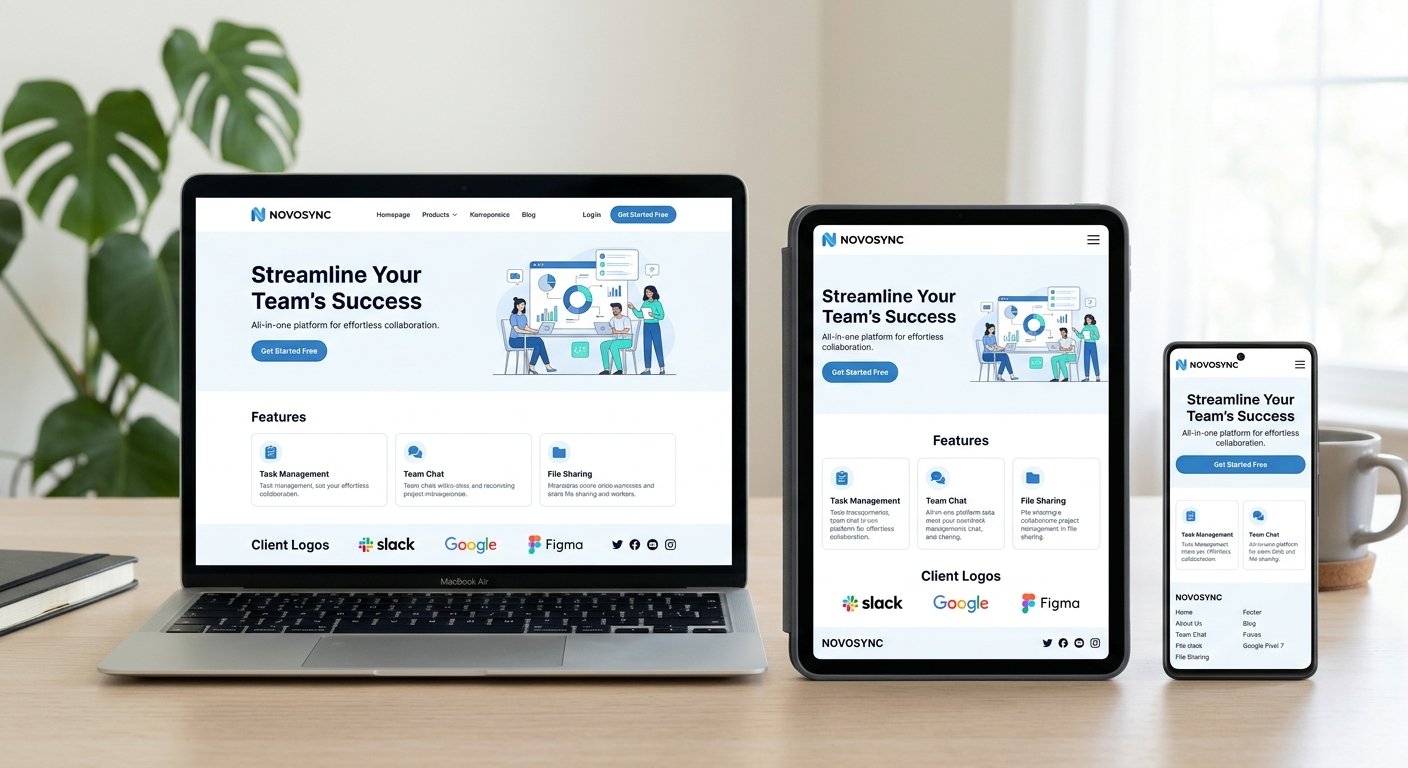
Over half of all global web traffic originates from mobile devices, yet many early-stage companies lose prospective clients due to pinched layouts, broken touch targets, and desktop-only designs. Implementing responsive web design for startups ensures your site adapts seamlessly across screens of all sizes, protecting your early marketing investments and projecting instant brand credibility.
This guide outlines why multi-device responsiveness is critical for early traction, how to execute mobile-first layouts, and technical best practices for high-performing web platforms.
[Did You Know?] A responsive website adapts its layout and interaction patterns to different screen sizes instead of treating mobile as a smaller desktop page, drastically reducing user friction.
1. The Strategic Importance of Responsive Web Design for Startups
For growing companies, every impression matters when pitching early adopters, investors, and potential hires. Building a responsive web presence directly drives business outcomes across key areas:
- Lower User Acquisition Costs: Avoid losing paid ad traffic to broken mobile landing pages or unoptimized checkout flows.
- Unified Brand Reputation: Present a polished, professional image across smartphones, tablets, laptops, and ultra-wide desktop monitors.
- Faster Time-to-Market: Maintain a single responsive codebase rather than building separate web apps or native mobile applications.
2. Core Pillars of Responsive Web Development
Modern responsive web development relies on flexible code structures that adjust gracefully to shifting viewports without sacrificing performance or visual fidelity.
Fluid Layout Grid Architectures
- Flexible Grids: Design interface layouts using relative units (like percentages or rem) rather than fixed pixel dimensions.
- Fluid Typography: Scale font sizes dynamically based on screen width using CSS functions like clamp() for consistent legibility.
Mobile-First Layout Strategy
Start your design process on the smallest screen size first. Prioritize primary messaging and actions before expanding layout elements to fill desktop screen real estate.
3. Best Practices for Startup Website Design
Delivering an extraordinary multi-device experience requires combining smart visual hierarchy with high-performing front-end code. Applying effective startup website design principles ensures long-term scalability.
| Design Element | Mobile Screen Approach | Desktop Screen Approach |
| Navigation | Compact hamburger menu or bottom tab bar | Expanded horizontal header bar with primary links |
| Touch Targets | Large, thumb-friendly buttons (minimum 44x44px) | Standard cursor-clickable buttons and text links |
| Content Layout | Single-column stacked vertical layout | Multi-column grid with side-by-side assets |
| Images & Media | Compressed, fluid media responsive to viewport width | High-resolution assets for widescreen display |
4. Technical Website Optimization for Startups
Pairing clean design with targeted website optimization for startups keeps loading times fast and search rankings strong.
- Implement Breakpoints: Set CSS media query breakpoints based on your visual content hierarchy rather than specific device models.
- Serve Adaptive Images: Use modern <picture> elements and HTML srcset attributes to serve appropriately sized WebP images to each device.
- Optimize Touch Interactivity: Ensure interactive elements provide clear visual feedback during taps, swipes, and hovers.
- Audit Mobile Performance: Test your site across real devices to identify layout shifts, hidden buttons, or slow-loading scripts.
Checklist: Responsive Startup Website Audit
[ ] Viewport meta tag is correctly set in the document head
[ ] Page content adjusts fluidly without horizontal scrolling on mobile
[ ] Navigation menus function seamlessly on touch screens
[ ] Primary CTAs remain visible and thumb-friendly across devices
[ ] Images compress dynamically to reduce mobile bandwidth usage
[ ] Fonts remain readable without manual pinching or zooming
Conclusion
Prioritizing responsive web design for startups is essential for acquiring customers and establishing market authority. By building fluid layouts, prioritizing mobile-first experiences, and focusing on performance optimization, you create a foundation that grows effortlessly alongside your business.